Document Features
Author:Haosen·
The document feature is still incomplete and is being actively developed. Please stay tuned!
Uploading Documents
Miremo is a thinking tool, and of course it supports documents. Because documents as raw materials have the highest value.
There are two ways to upload documents:
- Upload as attachment: At the bottom of card notes, click the attachment button to upload. After the document is uploaded, the "note assistant" can see the full text of the document in the attachment, and you can ask AI to help you process the document content, such as summarizing or extracting key points.
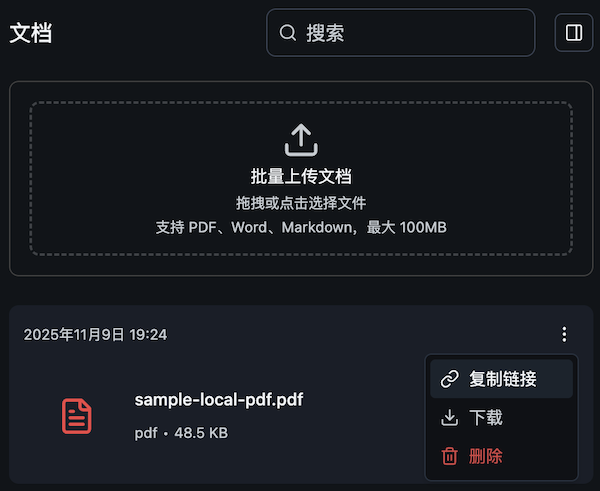
- Batch upload: Go to the "Documents" page to upload, which supports batch uploading. Suitable for scenarios where you need to input a large number of files at once.
Uploaded documents will be automatically parsed by Miremo into a format that AI can understand and can be referenced in the "knowledge base assistant".
Supported Formats
Currently only PDF format documents are supported. In the future, we will consider supporting more document formats such as Word, Markdown, etc.
Document Management
In "Document Management", you can view and manage all your uploaded documents.
You can also copy the document link from the document card and paste it into card notes for easy reference in your notes.